Anatomy of a CLAUDE.md
A section by section teardown of the file that tells a coding agent how to work in your project.
On this page
 Claude Code
 Markdown
If you’ve read the pillar post in this series, you already know the thesis: a well-structured prompt is source code for a new kind of machine. This post is the proof. We’re going to take one file apart, line by line, and treat every section as a language construct with a name and a job.
The file is CLAUDE.md. If you use Claude Code, you have one. It sits at the root of a project and gets loaded into context every single session, before you type anything. It is the closest thing the prompt-DSL has to a config file, a header, and a constructor all at once.
Most people write theirs by accident — a few notes, a “please don’t do X,” a list that grew over time. That works, the same way a shell script written by accident works. But once you can see the structure, you can write it on purpose. So let’s name the parts.
Here’s a generic, illustrative CLAUDE.md — not anyone’s real one, just enough to show every construct:
# Identity
You are a senior backend engineer working on this API.
Terse, direct, no preamble. You explain decisions, not yourself.

## Routing Table
Task | Go To | Read first
New endpoint | `src/routes/` | `docs/api-conventions.md`
Database change | `src/db/` | `docs/schema.md`
Bug fix | wherever it lives | the failing test

## Hard Rules — Never Violate
- Never commit secrets. If you see one in a diff, stop and tell me.
- Never run destructive migrations without showing me the SQL first.
- Never edit files in `vendor/` — it's generated.

## Conventions
- Tests live next to the code, named `*.test.ts`.
- Use the existing logger, never `console.log`.
- Conventional Commits for messages. No trailing period.
Four sections. Four different language features. Let’s go through them in order.
The Identity Block — Setting the Runtime
# Identity
You are a senior backend engineer working on this API.
This is the first thing the model reads, and it does more work than it looks like. Far from flavor text, it works as a runtime declaration.
A language model is a next-token predictor running over everything in context. The identity block tells it which distribution to sample from. “You are a senior backend engineer” doesn’t give the model new knowledge — it already knows backend engineering. What it does is bias every downstream choice toward the patterns a senior engineer would produce: shorter explanations, defensive code, fewer hand-holding comments.
Think of it as the top of a file that sets the language mode. #!/bin/bash doesn’t add any commands — it tells the system how to interpret everything below it. The identity block is the shebang for behavior.
The two-line version above also sets tone (“terse, direct, no preamble”). That’s not decoration either. It collapses a huge space of valid-but-annoying outputs. Without it, the model defaults to its most agreeable, most padded register. One line shuts that off for the whole session.
The identity block is the cheapest, highest-leverage section in the file. One sentence changes the behavior of every response after it.
Keep it short. The more you write here, the more you dilute it. Persona, register, and where it hands off to a human — that’s the whole job.
The Routing Table — Dispatch
## Routing Table
Task | Go To | Read first
New endpoint | `src/routes/` | `docs/api-conventions.md`
A table in a prompt does more than style the page. It encodes a relation — “this column maps to that column” — and the model reads it as one. The routing table is the most underused construct in the whole format, and it’s pure dispatch logic.
Here’s what it replaces. Without it, every task starts the same way: the model guesses where things live, maybe searches, maybe reads the wrong file first, maybe asks you. That’s a lookup it has to perform from scratch every time. The routing table precomputes the lookup and hands it over as data.
In language terms, it’s a switch statement, or a dispatch map. Input on the left, branch in the middle, prerequisite on the right. When a request comes in — “add a new endpoint” — the model matches the row, goes to the directory, reads the doc first. The decision is already made. You wrote the control flow once instead of re-deriving it every session.
The “Read first” column is the part people miss. It’s a dependency declaration. It says: before you act on this branch, load this context. That single column prevents a whole category of confident-but-wrong work, because the model arrives at the task already holding the rules for it.
A routing table earns its keep the moment a project has more than one kind of task. Below that, skip it. Above it, it’s the difference between an agent that knows the codebase and one that rediscovers it hourly.
The Hard Rules — Constraints and Guards
## Hard Rules — Never Violate
- Never commit secrets. If you see one in a diff, stop and tell me.
Every other section shapes what the model tends to do. This one defines what it must never do, which makes it a different feature entirely: these are guard clauses.
Two things make this section work, and both are about how models actually read.
First, the heading is load-bearing. “Hard Rules — Never Violate” is stronger than “Guidelines” or “Please keep in mind.” The model treats emphatic, absolute framing as higher-priority context. You are turning up the weight on these tokens on purpose. This is the same reason **bold** and NEVER in caps aren’t shouting — they’re a volume knob the format actually respects.
Second, negative constraints need a defined behavior, not just a prohibition. Look at the difference:
- Don't commit secrets.                          (weak — what should happen instead?)
- Never commit secrets. If you see one, stop     (strong — prohibition + action)
  and tell me.
A bare “don’t” leaves the model to invent what to do at the boundary. Pairing the prohibition with an explicit action (“stop and tell me”) gives it somewhere to go when the rule trips. That’s the difference between a guard that fails safe and one that improvises.
Order them by how much damage the violation causes. Secrets and destructive operations go first. The model weights earlier items in a list slightly heavier, and you want your most expensive mistakes guarded hardest.
This is also the one section you should write defensively, assuming the model will drift, because over a long session it might. Hard rules are the seatbelt. They’re not there for the normal case.
The Conventions — Style and Defaults
## Conventions
- Tests live next to the code, named `*.test.ts`.
- Use the existing logger, never `console.log`.
The last section is the soft layer: defaults, house style, the thousand small choices that make output feel like it belongs in your codebase instead of a generic one.
These aren’t rules — nothing breaks if a convention slips. They’re defaults, in the programming sense: the value used when nothing else is specified. “Tests named *.test.ts” means the model doesn’t have to guess your test naming, and won’t invent a third convention to sit alongside your existing two.
The payoff here is consistency across sessions. A model with no conventions block makes locally reasonable choices that drift apart over time — console.log in one file, your logger in the next. The conventions section pins the defaults so today’s output matches last week’s. That’s the whole point of a style guide, and it works on a model for the same reason it works on a team.
Note the construct mix: inline code for literals (*.test.ts), the word “never” for a soft prohibition, plain bullets for siblings. Same primitives as everywhere else in the DSL, just dialed to a lower priority by the heading above them.
Reading the Whole File as a Program
Put the four together and the file has a shape any programmer recognizes:
| Section | Language feature | What it does to the model |
|---|---|---|
| Identity | Runtime / mode declaration | Sets which behavior distribution to sample from |
| Routing Table | Dispatch / switch | Precomputes where to go and what to read first |
| Hard Rules | Guard clauses | Defines forbidden actions and the fail-safe behavior |
| Conventions | Defaults | Pins house style so output stays consistent |
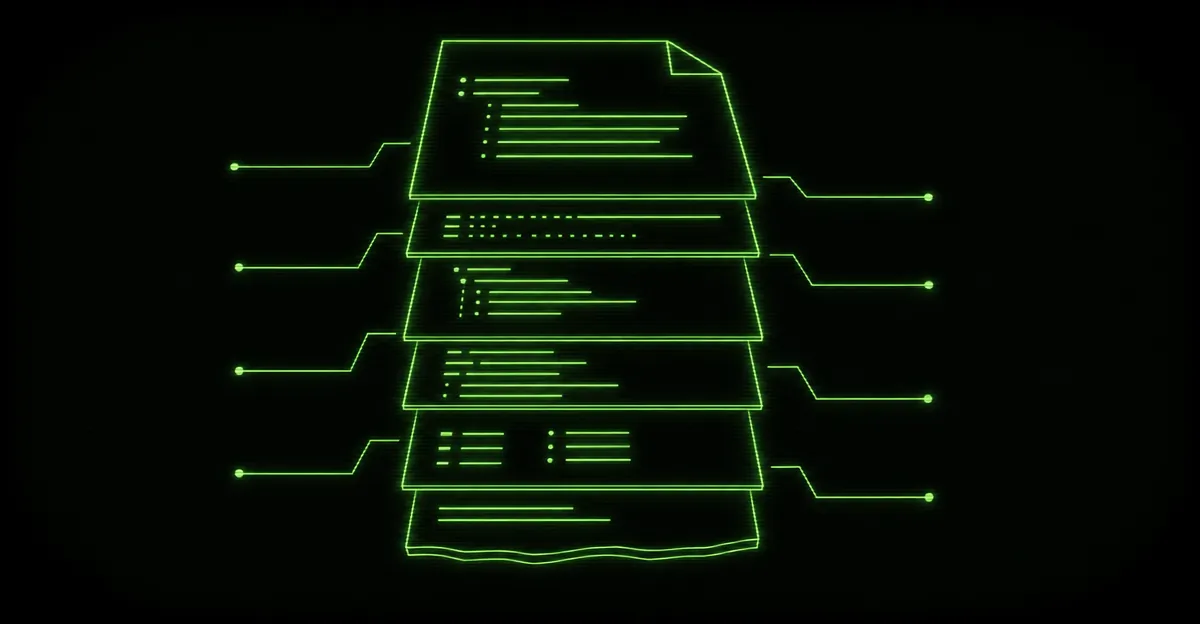
It loads top to bottom, like a file. Identity sets the mode, the table wires up dispatch, the rules install the guards, the conventions set the defaults — and only then does your actual request run, against a runtime that’s already configured for it.
That’s why a good CLAUDE.md makes everything downstream better without you touching the individual prompts. You configured the machine once.
And that’s the real shift. Stop writing your CLAUDE.md as notes-to-a-helpful-assistant and start writing it as the header of a program — identity, dispatch, guards, defaults, in that order — and the file gets shorter, sharper, and far more reliable. You’re not writing documentation. You’re writing the constructor.
When you’re ready to have AI agents architected with this kind of structure — configured deliberately, guarded, and built to behave the same way every time — see what we do with AI agents and we’ll tell you straight whether it fits.