KeysOut now
Plug in a MIDI keyboard and play.
A Windows app for the USB piano you already own. Nothing is locked.
What it is
A workspace for the piano you own.
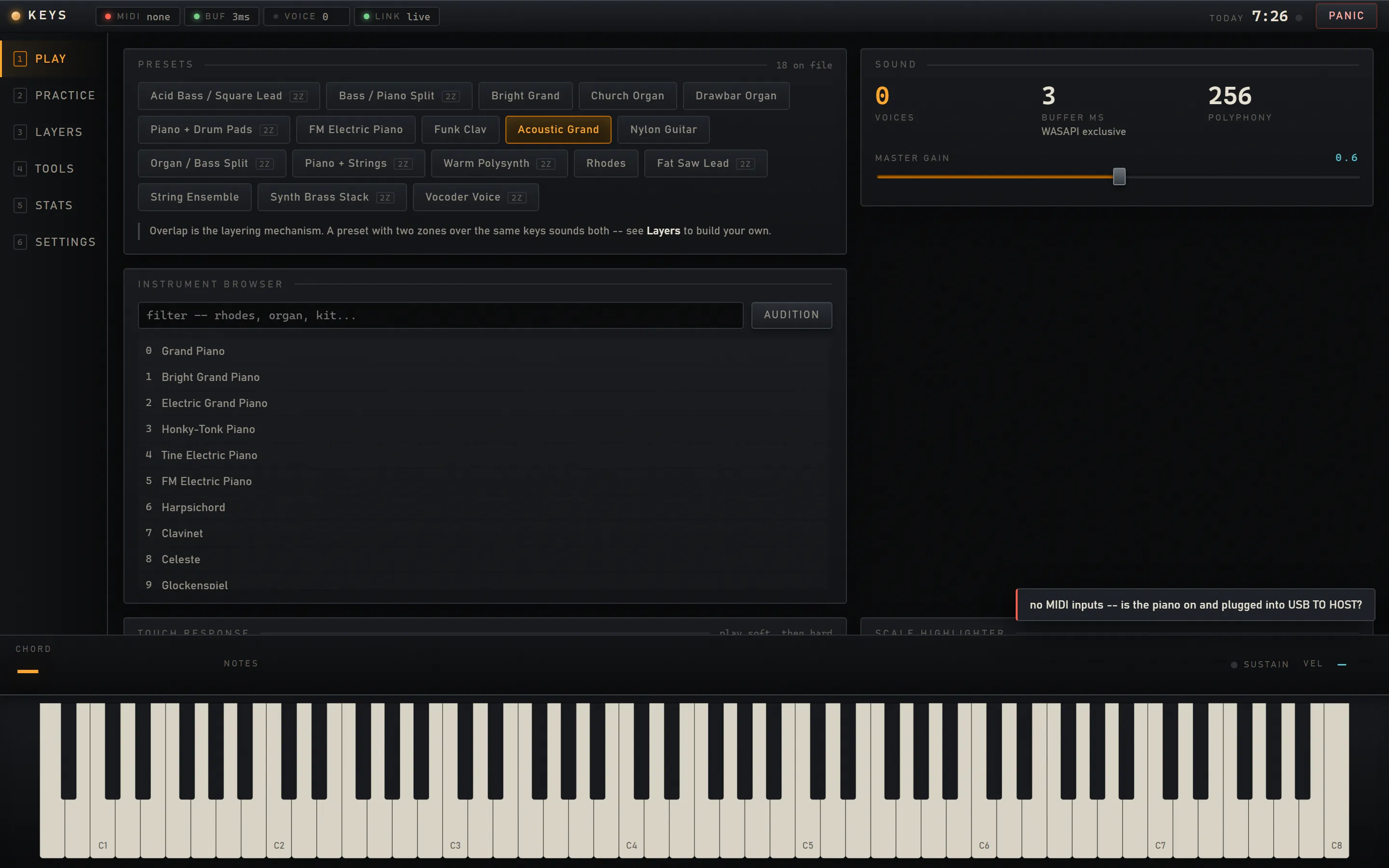
- Version
- v0.8.3
- Releases
- 15 tagged releases
- Platform
- Windows
- Stack
- Python · MIDI · Windows
- License
- MIT
- Built with
- Python 3.11, FluidSynth, a browser interface
- Bundled
- FluidSynth (LGPL 2.1), Verovio (LGPL 3.0) and the GeneralUser GS SoundFont, each under its own terms
About the 3 ms
3 milliseconds is the audio buffer in WASAPI exclusive mode, at 144 samples, checked on real hardware. That mode is off by default. Shared mode runs at about 10 milliseconds. Software cannot measure the full path from key press to ear.
What it does
Built for practice at your own pace.
-
Splits and layers
Bass under one hand, piano under the other.
-
A loop station
Five layers, locked to the bar line.
-
A note roll and sheet music
Import MusicXML or a MIDI file.
-
Follow a song at your own pace
It waits at each chord.
-
Chords and scales
13 modes and 24 chord qualities.
-
Exercises and sight reading
Weighted toward notes you miss.
-
A metronome on the audio clock
It cannot drift against the sound.
-
A practice clock that counts playing
Streaks, a calendar and a key heatmap.
-
Local first
No account, no telemetry. Only a backing track uses the network.
-
Eleven themes
One is a daylight theme.
Get it
Download, extract, run.
- Download
Get the zip
Keys-0.8.3-win-x64.zip, from the latest release. Nothing else to install.
- Extract
Give it a folder of its own
A new, empty one. Updates rewrite it.
- Run
Start Keys.exe
Plug in a class compliant USB MIDI keyboard.
The build is not code signed, so SmartScreen warns on first run. Choose More info, then Run anyway.
Updates run only when you ask, and leave %LOCALAPPDATA%\Keys untouched.
Running from source needs Python 3.11 or 3.12, FluidSynth 2.x and a SoundFont.
I built this alone. I can build yours.