RAG in Plain English: How an AI Agent Actually Knows Your Business
RAG explained without the jargon: how an AI agent retrieves the right page from your knowledge base before it answers.
On this page
 Obsidian
 Claude
People assume an AI agent that knows your business has “learned” your business. That it read all your documents, memorized them, and now carries them around in its head.
That’s not how it works. And once you understand how it actually works, you’ll understand why some agents feel like they know everything and others feel like they’re guessing.
The technique is called RAG — retrieval-augmented generation. Ugly name. Simple idea.
The model doesn’t memorize your documents
Here’s the thing most people get wrong. The language model itself is frozen. It was trained on a giant pile of public text, and then it stopped learning. It does not know your pricing, your process, your client history, or what you decided in last Tuesday’s meeting. It never will, no matter how many times you tell it.
So how does an agent answer a question about your business correctly?
It looks it up. Right then. At the moment you ask.
Think of a librarian. The librarian hasn’t memorized every book in the building. But ask a question and they walk straight to the right shelf, pull the right book, flip to the right page, and read it back to you. The knowledge isn’t in their head — it’s on the shelf, and they’re very good at finding it fast.
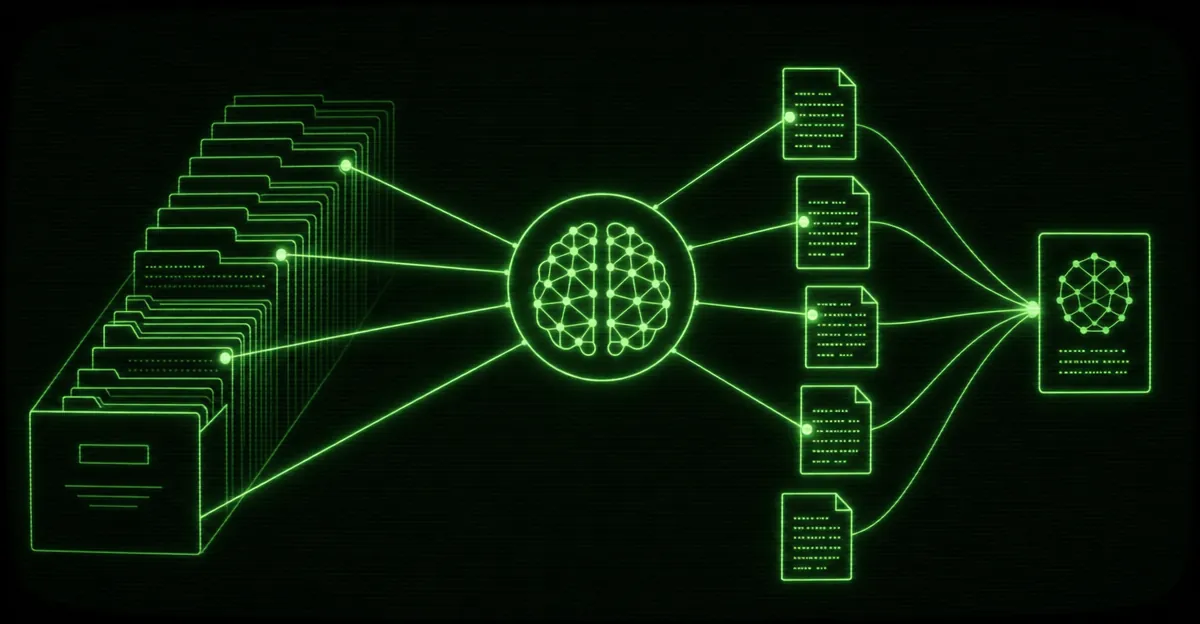
That’s RAG. The model is the librarian. Your knowledge base is the library. Retrieval is finding the right page. Generation is reading it back to you in plain language. The model only answers after it has the right page open in front of it.
Chunks: cutting the books into pages
You can’t hand the model your entire knowledge base every time someone asks a question. It’s too much. There’s a hard limit to how much text a model can read at once, and even under that limit, stuffing everything in makes answers slower and worse.
So before any of this works, your documents get cut into small pieces. We call them chunks.
A chunk is roughly a paragraph or a section — small enough to be about one thing, big enough to make sense on its own. A page from a book, not the whole book. Your onboarding doc might become a couple dozen chunks. Your service catalog, more. A well-built business knowledge base lands in the tens of thousands of searchable chunks pulled from a single vault — and that’s exactly what you want.
Why bother cutting things up? Because when someone asks “what’s your turnaround on a new logo,” you don’t want to retrieve the entire operations manual. You want the three chunks that actually talk about turnaround. Small pieces mean precise retrieval.
How you chunk matters more than people expect. Cut in the wrong places and you split a thought in half — the answer to a question ends up straddling two chunks, and neither one alone is enough. Good chunking respects the natural boundaries of the writing. This is one of the quiet reasons a clean, well-structured knowledge base outperforms a pile of messy PDFs.
Embeddings: turning meaning into coordinates
Now the hard part. When someone asks a question, how does the system find the right chunks out of twenty thousand?
Not by keyword matching. Keyword search is brittle — ask about “turnaround time” when the document says “delivery window” and a keyword search comes up empty, even though they mean the same thing.
RAG searches by meaning. And to search by meaning, you have to turn meaning into something a computer can compare. That’s what an embedding is.
An embedding is a chunk of text converted into a long list of numbers — coordinates, basically. The trick is that the coordinates are arranged so that things that mean similar things land near each other. “Turnaround time,” “delivery window,” and “how long does it take” all end up clustered in the same neighborhood, even though they share no words.
Plain analogy: imagine a giant map where every idea has an address. Pizza places cluster in one part of town, hardware stores in another. Ideas about money sit far from ideas about color. Embeddings give every chunk of your knowledge base an address on that map — and questions get an address too.
You don’t write these numbers. A model does it automatically. Every chunk gets its coordinates when it’s added to the knowledge base, and they get stored.
Vector search: finding the nearest page
Once everything has an address on the map, finding the right chunk is just finding what’s nearby.
Someone asks a question. The question gets its own address on the same map. Then the system grabs the handful of chunks sitting closest to it — the nearest neighbors. That’s vector search: not “which chunk contains these exact words” but “which chunks are closest in meaning.”
Here’s the full loop, start to finish:
- Question comes in — “How fast can you turn around a website?”
- Question gets an address — converted to an embedding, placed on the map.
- Nearest chunks retrieved — the system pulls the handful of chunks closest in meaning, wording be damned.
- Model reads them — those chunks get handed to the model alongside the question.
- Model answers — grounded in your retrieved text, not its generic training.
The whole thing happens in a fraction of a second. To the person asking, it just feels like the agent knows. It doesn’t, really. It looked it up — it just looked it up brilliantly fast.
The model supplies the language. Your knowledge base supplies the facts. RAG is the bridge between them.
The punchline: garbage in, garbage out
Here’s why all of this matters to you, the business owner, and not just the engineer.
An agent is only as good as the knowledge base behind it.
The model is the same model everyone else is using. The intelligence that makes your agent yours — that makes it answer like someone who actually works at your company — comes entirely from what’s on the shelf. If the shelf is full of accurate, current, well-organized information, the agent is sharp. If the shelf is half-empty, contradictory, or out of date, the agent confidently tells people the wrong thing.
Retrieval can only find what’s there. It can’t invent a policy you never wrote down. It can’t reconcile two documents that disagree. Garbage in, garbage out — except now the garbage comes back out wearing a confident, professional voice, which is worse.
This is the part nobody wants to hear: the unglamorous work of writing things down clearly is the work. The fancy retrieval is solved. The knowledge base is where you win or lose.
Build the shelf right
This is exactly why we’re so opinionated about how a knowledge base gets built. A clean, linked, plain-text vault chunks cleanly, embeds cleanly, and retrieves accurately. A folder of scanned PDFs and stale Word docs does not. We’ve written a whole piece on the tool we reach for first — why an Obsidian vault makes the best knowledge base for an AI agent — because the shape of your knowledge decides the quality of every answer that comes out the other side.
Get the shelf right and RAG does the rest. The agent stops guessing and starts answering like it’s been on your team for years — because, in every way that matters to the person asking, it has.
If you want an agent that actually knows your business — backed by a knowledge base built to be retrieved from, not just stored — see how we build AI agents. The model is the easy part. We get the shelf right.