Inside My AI Agent Architecture
How I architect AI agents as isolated Brains, each with its own identity, memory, knowledge base and scoped tools.
On this page
 Obsidian
 Linux
Linux
 macOS
macOS
Most people picture an AI agent as one big assistant that does everything. One brain, one chat window, ask it anything.
That’s not how we build them.
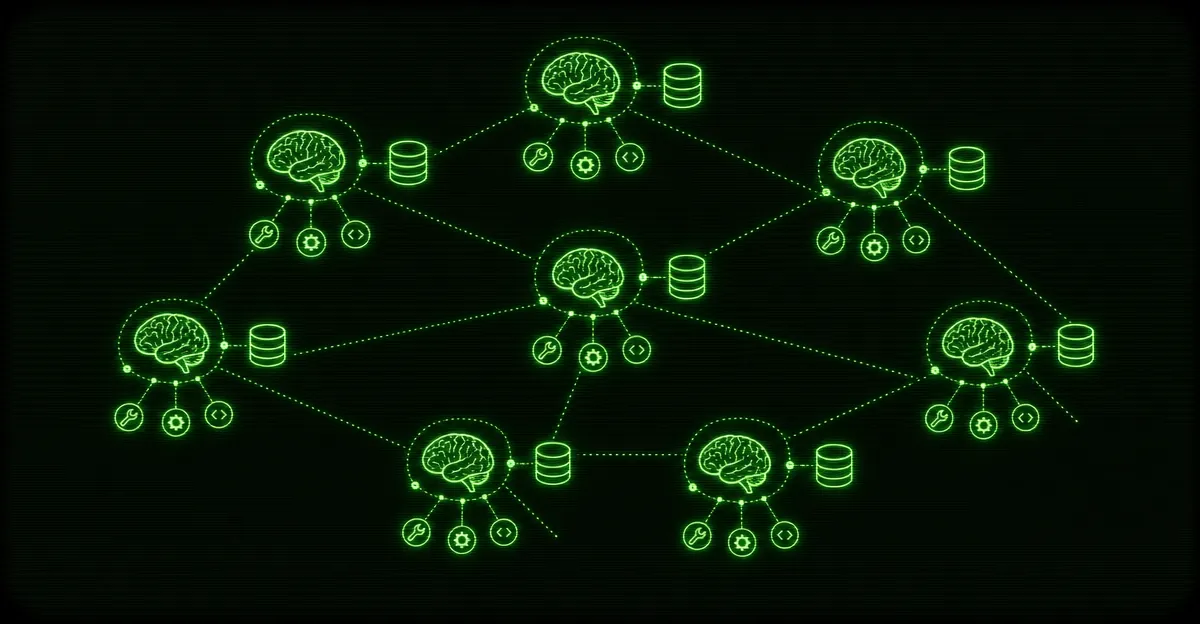
Right now we run 30+ AI Brains across 6 production deployments — on Linux, Mac, and Windows. Not one giant agent juggling thirty jobs. Thirty-plus small, specialized agents, each with its own identity, its own memory, its own knowledge, and its own narrow set of tools. This is a look at why we architect it that way and how we keep it all running.
What a “Brain” actually is
A Brain, in our setup, is a single agent with four things that belong only to it.
An identity. Every Brain has a name, a role, and a personality defined in its own config — what it’s for, how it talks, what it’s allowed to decide on its own, and where it hands off to a human. A support Brain and a research Brain are not the same agent wearing different hats. They are different agents.
Persistent file-based memory. Each Brain writes and reads its own memory on disk. Plain files. It remembers what it decided last week, what it already tried, what the human told it to stop doing. When the process restarts, the memory is still there because it never lived in a chat history — it lived in a folder.
A structured knowledge base. This is what the Brain knows, separate from what it remembers. Backed by Obsidian — local Markdown files, linked together, that the agent can search and pull from. We’ve written a whole post on why Obsidian is the best knowledge base for an AI agent, and the short version is: it’s just files, it’s portable, and every tool on earth reads Markdown.
Scoped tool connections. Each Brain only gets the tools its job requires. The agent that drafts content doesn’t get keys to anything that can spend money or send messages on its own. Tools are a privilege, granted per Brain, not a default.
If the framework half of this is new to you, our primer on OpenClaw covers what these agents are and why businesses run them.
Why many small brains instead of one big one
This is the real architectural decision, and it’s the one most people get wrong. The instinct is to build one mega-agent that can do it all. We deliberately don’t. Here’s the reasoning.
Blast radius
When one agent has every tool and every permission, one bad instruction can do damage everywhere. A confused prompt, a malformed input, a tool that returns garbage — and now your do-everything agent has done everything, in the wrong direction.
Isolate the Brains and you isolate the damage. If the research Brain has a bad day, it has a bad day in research. It can’t touch the inbox, can’t post anywhere, can’t move money, because those tools were never wired to it. The worst case is contained to one small box instead of the whole operation.
One agent with every key is a single point of failure wearing a smart-assistant costume.
Specialization
A Brain with one job is better at that job. Its instructions are short and specific. Its knowledge base is curated for one purpose instead of stuffed with everything. Its examples all point the same direction.
A general-purpose agent has to hold the whole world in its head at once, and the more you cram into the instructions, the more they fight each other. Narrow the scope and the quality goes up. Every time.
Clarity of context
This is the quiet one, and it might be the most important. An agent’s output is only as good as the context it’s reasoning over. When you give one agent thirty responsibilities, every request drags in context that has nothing to do with the task. The signal gets buried.
Small Brains keep the context clean. When the support Brain answers a question, everything in front of it is about support — its knowledge base, its memory, its tools. Nothing competing for attention. Clean context in, good answers out. That relationship holds up reliably, and it’s the whole reason we split things this way.
How the pieces fit together
Think of it less like an org chart and more like a small team where everyone has a desk, a filing cabinet, and a job description.
| Piece | What it is | Why it’s separate |
|---|---|---|
| Identity | Name, role, personality, decision boundaries | So behavior is predictable and scoped |
| Memory | Per-Brain files on disk | So it survives restarts and stays private to that Brain |
| Knowledge base | Obsidian-backed Markdown | So what it knows is curated, searchable, and owned |
| Tools | Scoped connections, granted per Brain | So blast radius stays small |
A Brain wakes up, loads its identity, reads its own memory, searches its knowledge base when it needs a fact, and uses only the tools it was given. When it’s done, it writes back to memory and waits for the next thing. Multiply that by thirty-plus, spread across six deployments and three operating systems, and that’s the architecture.
The six deployments aren’t redundant copies of the same thing. They’re separate environments — different hardware, different jobs, different platforms — which is its own kind of isolation. A problem on one box doesn’t become a problem on the others.
Monitoring and maintenance
Thirty agents that nobody watches isn’t an architecture. It’s a liability. The running setup is the live truth, not the config you wrote three months ago, so we treat monitoring as part of the build, not an afterthought.
The non-glamorous reality of running this many Brains:
- Health checks. Is each Brain’s process up? Is it responding? A small agent that quietly died is worse than one that loudly failed, so we watch for silence.
- Memory hygiene. Persistent memory is a feature until it’s a junk drawer. Memory files get reviewed and pruned so a Brain isn’t reasoning over stale decisions.
- Knowledge base upkeep. When the business changes, the knowledge base has to change with it. An agent confidently working from last quarter’s facts is a problem you don’t see until it’s already wrong.
- Tool and credential rotation. Connections expire, APIs change, keys rotate. Scoped tools mean fewer credentials per Brain, but more Brains means more to keep current. We track it deliberately instead of finding out when something breaks.
- Behavior drift. Models update. Instructions that worked perfectly can start producing slightly different output. We spot-check the Brains that matter most so drift gets caught early, not by a customer.
None of this is exciting. All of it is the difference between an AI setup that runs for a year and one that quietly falls apart in a month.
The takeaway
The headline number — 30+ Brains across 6 deployments — sounds like complexity for its own sake. It isn’t. It’s the opposite. Each individual Brain is simpler than a do-everything agent would be: one job, one knowledge base, one small set of tools, one clear context. The complexity lives in the orchestration and the monitoring, where it belongs, instead of being crammed into a single overloaded agent where it would do the most damage.
Small, isolated, specialized, watched. That’s the whole philosophy. Everything else is just discipline applied consistently.
If you want an AI agent built this way — scoped, monitored, and actually maintained, not a single fragile mega-bot — see what we do with AI agents and we’ll tell you straight whether it fits your business.