What Is MCP? The USB-C Moment for AI Tools
MCP is a shared standard that lets an AI plug into your calendar, docs, CRM, and tools the way USB-C connects to anything. Here's why it matters.
On this page
 MCP
MCP
 Anthropic
 GitHub
 Notion
Think back to the drawer. The one with the tangle of chargers — micro-USB, mini-USB, the wide flat one, the Apple one that flipped between generations, the barrel plug for the old laptop. Every device wanted its own cable, and none of them talked to each other.
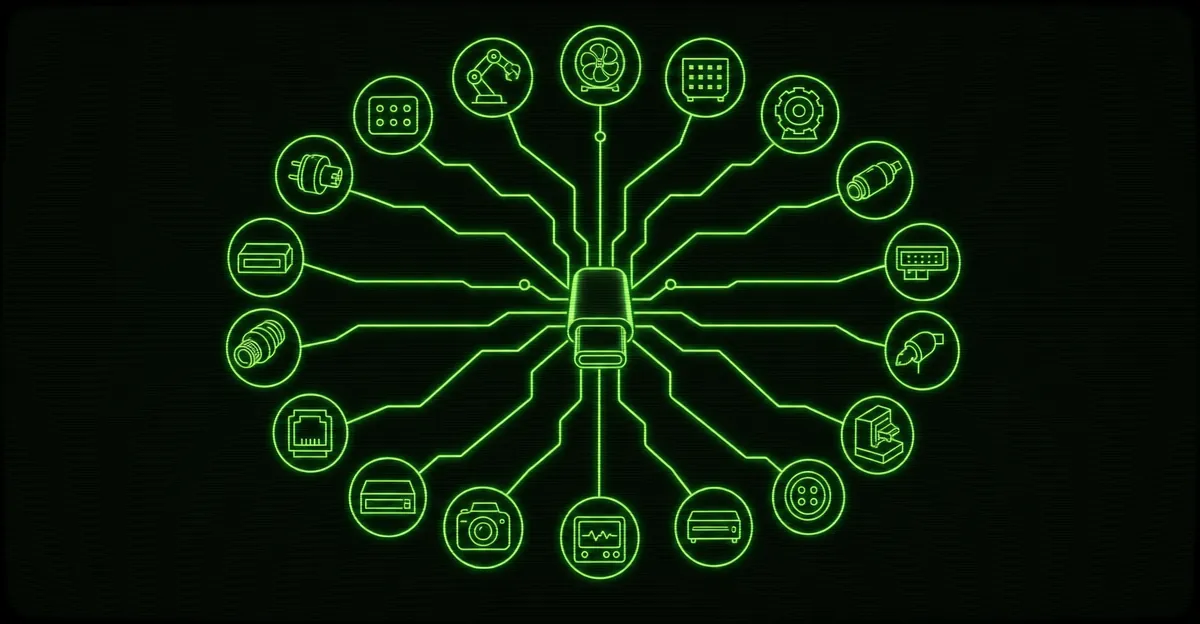
USB-C ended that. One port. One cable. Plug it into a phone, a laptop, a monitor, a hard drive — it just works.
AI tools are having that exact moment right now, and the standard doing it is called MCP — the Model Context Protocol. If you run a business and you’ve heard the term thrown around, here’s what it actually means and why it changes what an AI can do for you.
The Problem MCP Solves
An AI model on its own is a brain in a jar. It can reason, write, and summarize, but it can’t see your world. It doesn’t know what’s on your calendar today, what a customer emailed last week, or whether that invoice got paid.
To make it useful, you have to connect it to your stuff — your calendar, your documents, your customer records, your support tickets. And until recently, every one of those connections was a custom job.
Want the AI to read your calendar? Someone writes a chunk of code to bridge the two. Want it to also check your CRM? That’s a second chunk of code, built differently, because the CRM works nothing like the calendar. Add a fourth tool, a fifth, and you’ve got a drawer full of mismatched cables again — except now they’re software, and someone has to maintain every single one.
That’s slow, expensive, and brittle. Change one tool and the glue holding it to the AI snaps.
What MCP Actually Is
MCP is a shared agreement on how an AI talks to an outside tool. Not a product, not an app — a protocol. A set of rules everyone agrees to follow.
The calendar speaks MCP. The document store speaks MCP. The CRM speaks MCP. The AI speaks MCP. Because they all speak the same language, the AI can talk to any of them without a custom translator in between.
One standard on both ends means the connection is built once, by the people who made the tool — and every AI that speaks the protocol can use it. No bespoke engineering per integration.
That’s the USB-C part. USB-C didn’t make your phone faster. It made it so one port could connect to anything, and manufacturers stopped reinventing the plug. MCP does the same thing for AI: it standardizes the plug so the AI and the tool don’t have to be custom-fitted to each other.
Why This Matters For Your Business
Here’s where it stops being abstract.
When tools speak a common protocol, an AI agent becomes composable — you can snap capabilities together like building blocks instead of commissioning each one from scratch.
Picture an assistant for your business that can, in a single request:
- Check your calendar for an open slot
- Pull the customer’s history from your CRM
- Read the relevant doc or policy from your files
- Open or update a ticket in your support system
Before MCP, wiring all four of those into one assistant was four separate engineering projects, each with its own quirks and its own maintenance burden. With MCP, each tool exposes itself once through the standard, and the agent plugs into all of them the same way.
| Without a standard | With MCP | |
|---|---|---|
| Adding a tool | Custom code, built from scratch | Plug into the existing connector |
| Maintenance | Every connection breaks on its own | One standard, one place to fix |
| Swapping tools | Rebuild the glue | Reconnect — same protocol |
| Cost over time | Grows with every integration | Flattens out |
For a small business, the difference is the difference between “we’d love to but that’s a big custom build” and “yes, we can connect that.” The engineering that used to gate every integration mostly goes away. What’s left is deciding which tools your agent should touch and what it’s allowed to do with them — which is exactly the conversation you want to be having.
The Signal From the Leak
A few weeks ago, Claude Code’s entire source code leaked — Anthropic shipped debug files in a package and the whole codebase went public. We read through it.
MCP wasn’t a footnote in there. It was part of the core stack — the protocol sat right alongside the language server tooling and the API client as foundational plumbing, not an optional add-on bolted onto the side.
That matters because it tells you where this is going. When the team building one of the most advanced AI tools on the market treats a protocol as a load-bearing wall rather than a nice-to-have, that protocol is becoming the standard the rest of the industry builds against. USB-C didn’t win because of a press release. It won because the devices you actually use adopted it. MCP is following the same path.
A Plain-English Recap
Strip away the acronym and it’s simple:
- An AI on its own can’t touch your real tools and data.
- Connecting it used to mean custom, one-off engineering for every single tool.
- MCP is a shared standard so the AI and the tool speak the same language out of the box.
- That makes AI agents composable — connect them to your calendar, docs, CRM, and tickets without reinventing the wiring each time.
- The tools you’ll actually rely on are already adopting it, which is what makes it stick.
You don’t need to know the wire format any more than you need to know how USB-C negotiates power delivery. You just need to know that the era of every integration being a custom job is ending, and that’s good news for anyone who wants an AI that does real work instead of just chatting.
The interesting question is no longer “can we connect the AI to that?” It’s “what do we want it to do once it’s connected?”
That’s the part worth getting right — and it’s the part we build. If you want an AI agent that plugs into the tools you already run and actually moves work forward, let’s talk about what to wire up first.